The deal, on the same record as the client.
Most software makes you keep the relationship in one place and the transaction in another. Here they're the same thing: deals, milestones, documents and signatures sitting on the contact they belong to. Free, with no cap on deals.
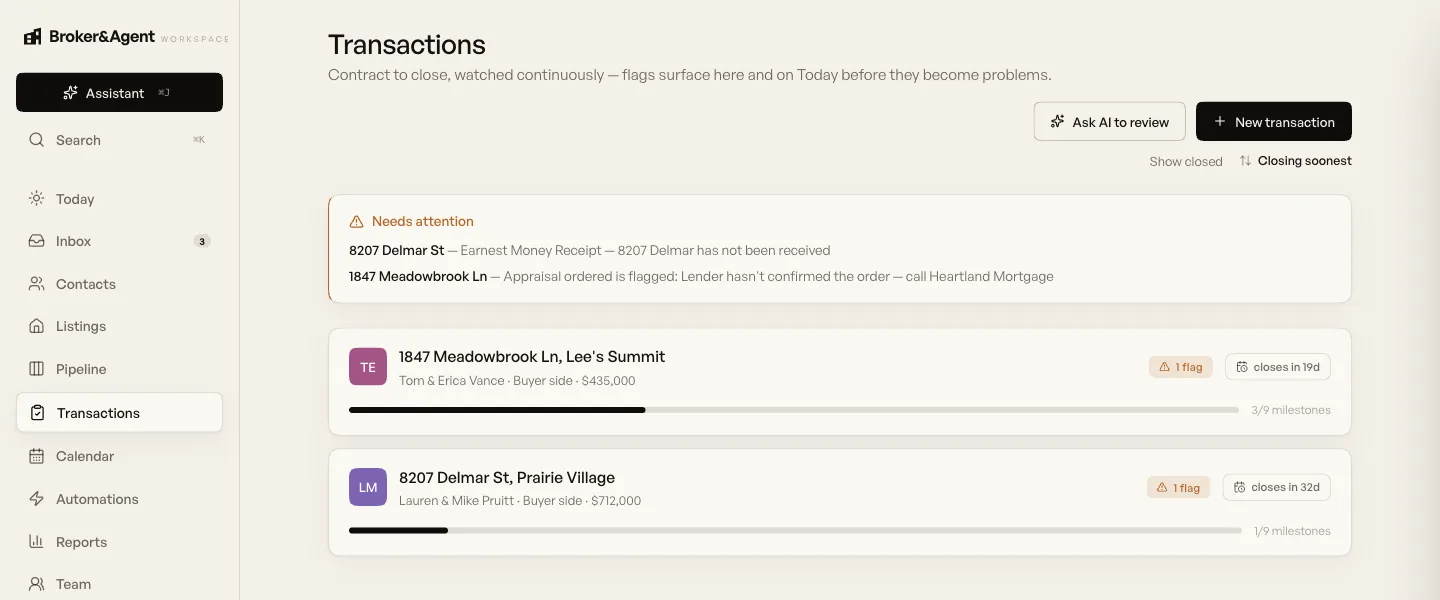
Everything live, on one board
Deals by stage, with the close date, the price and what it's worth to you on the card. Drag one forward when it moves, or tell the assistant to.
The thing you actually want from transaction software is to know, without opening anything, what's closing this month and what's about to go wrong. That's the screen.
On the free plan
All of it, with no limit on how many transactions you run.
What Pro adds
The AI layer, which is where transaction management stops being a filing system and starts removing work. $99 a month, or $59 with one of our websites.
The argument, in one paragraph
Real estate software split transactions away from the CRM for historical reasons: CRMs were sold to agents to fix lead follow-up, and transaction platforms were sold to brokerages to fix compliance. Two buyers, two products, and the agent ended up with both plus the job of joining them. That split is why your inspection deadline lives outside your task list, and why a past client's transaction history vanishes from their record the moment the deal closes. We didn't do anything clever here. We just declined to inherit the split.
What we don't do
Brokerage back office: commission disbursement, agent billing, accounting, general ledger. That's a different category with different buyers and we'd rather say so than let you find out in month two. Compliance oversight across an organisation is in the brokerage tier, and it's genuinely less deep than a dedicated compliance platform like SkySlope today. We wrote that comparison honestly if you want the detail.
Common questions
Is transaction management free?
Yes, the transactions hub is on Workspace Free: the deals board, milestones, close dates, commission tracking, document storage and e-signature, with no cap on how many deals you run. It was briefly a paid feature and we moved it, because a free tier competing with a CRM that includes deals in its core plan cannot credibly leave them out. What Pro adds is the AI on top: contract reading, file review, deadline chasing and the forms editor.
Can this replace dotloop or SkySlope?
For most individual agents and small teams, yes. Transactions, documents and signing are all here, attached to the client record rather than sitting in a separate system. Two honest reasons to stay: a brokerage mandate, and a market where everyone on the other side of your deals is already on the same platform, which does make document sharing easier. For brokerages whose central problem is compliance review at scale, SkySlope has more depth than we do today and we would say so on a call.
What makes this different from a standalone transaction platform?
The deal knows who the client is. In a standalone platform the transaction lives in one system and the relationship lives in your CRM, so deadlines sit outside your task list and the deal history disappears from the contact when it closes. Here it is one record: the emails from before there was a deal, the deal itself, and everything after, on the same person, permanently. That matters most eighteen months later when they call about selling.
Does it handle commissions and splits?
It tracks the commission on the deal so you can see what your pipeline is worth and what actually closed. It is not brokerage accounting software: commission disbursement, agent billing and general ledger work are a different category, and we would rather do one thing properly than claim both.

Get early access.
Tell us what you run your transactions in today and we'll tell you honestly whether this replaces it or sits alongside it.
Or email hello@brokerandagent.com.