Everything between the lead and the closing.
The CRM, the inbox, the follow-up, the CMA, the transaction, the signatures. The work you actually do all day, in one place and on one set of records, instead of five subscriptions that don't talk to each other.
In the final stages of development. Get on the early access list and we'll tell you the week it opens.
One system, from first contact to closed.
Most software owns one slice of this and hands you off for the rest. Every handoff is a place where something gets re-typed, or lost.
Meet Workspace
Six areas, one set of records. A saved search on your site becomes a contact, a task, and a reason to call, without having to integrate or jump between multiple applications. Here's a look at it.
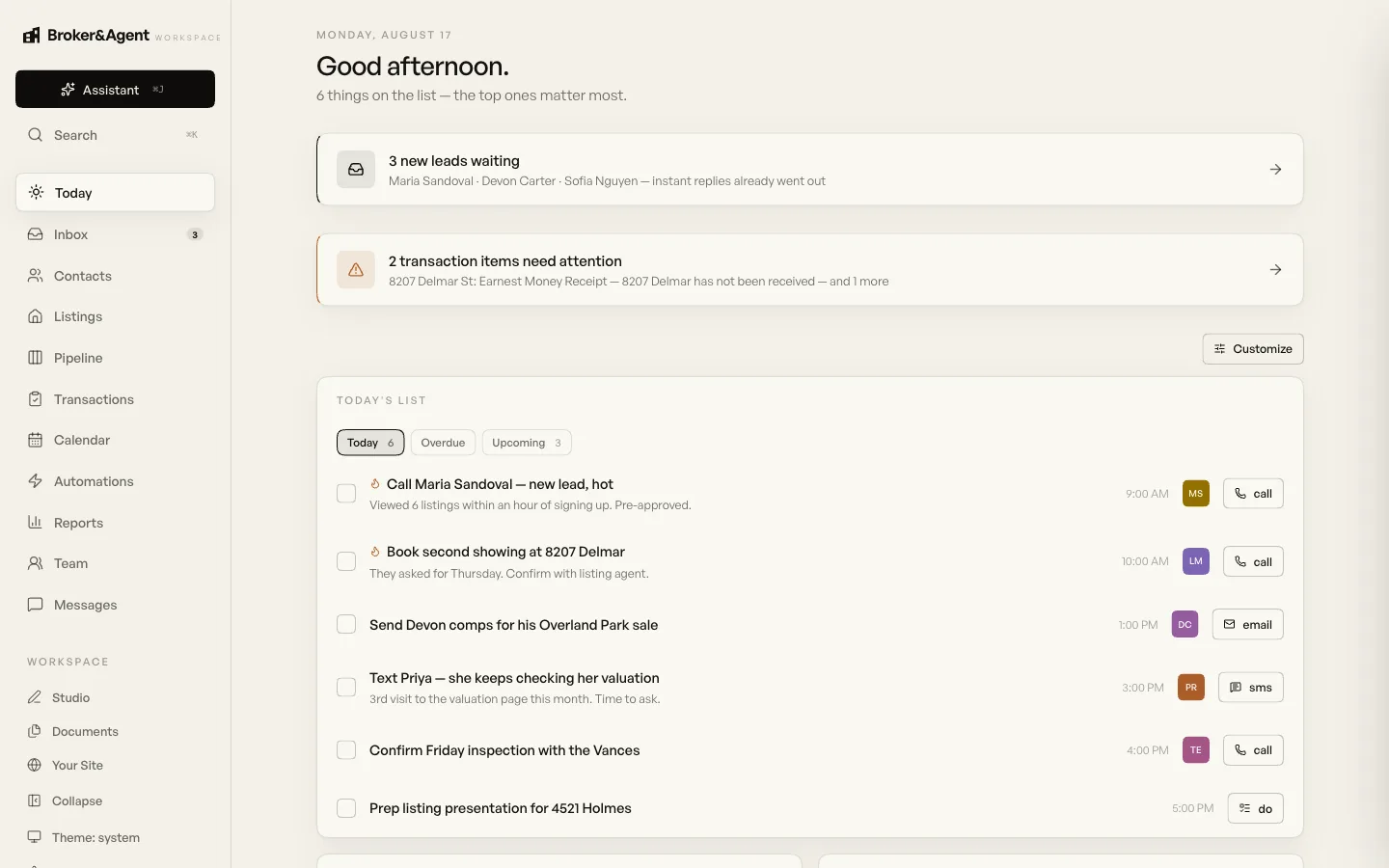
Your day, already sorted out
Most software makes you go looking for what matters. This starts with it. The leads that came in overnight, the deals about to hit a snag, and a short list of who to call first.
The order comes from what people did, not when they signed up. Someone who came back three times this week ranks above a contact who filled out a form and left.
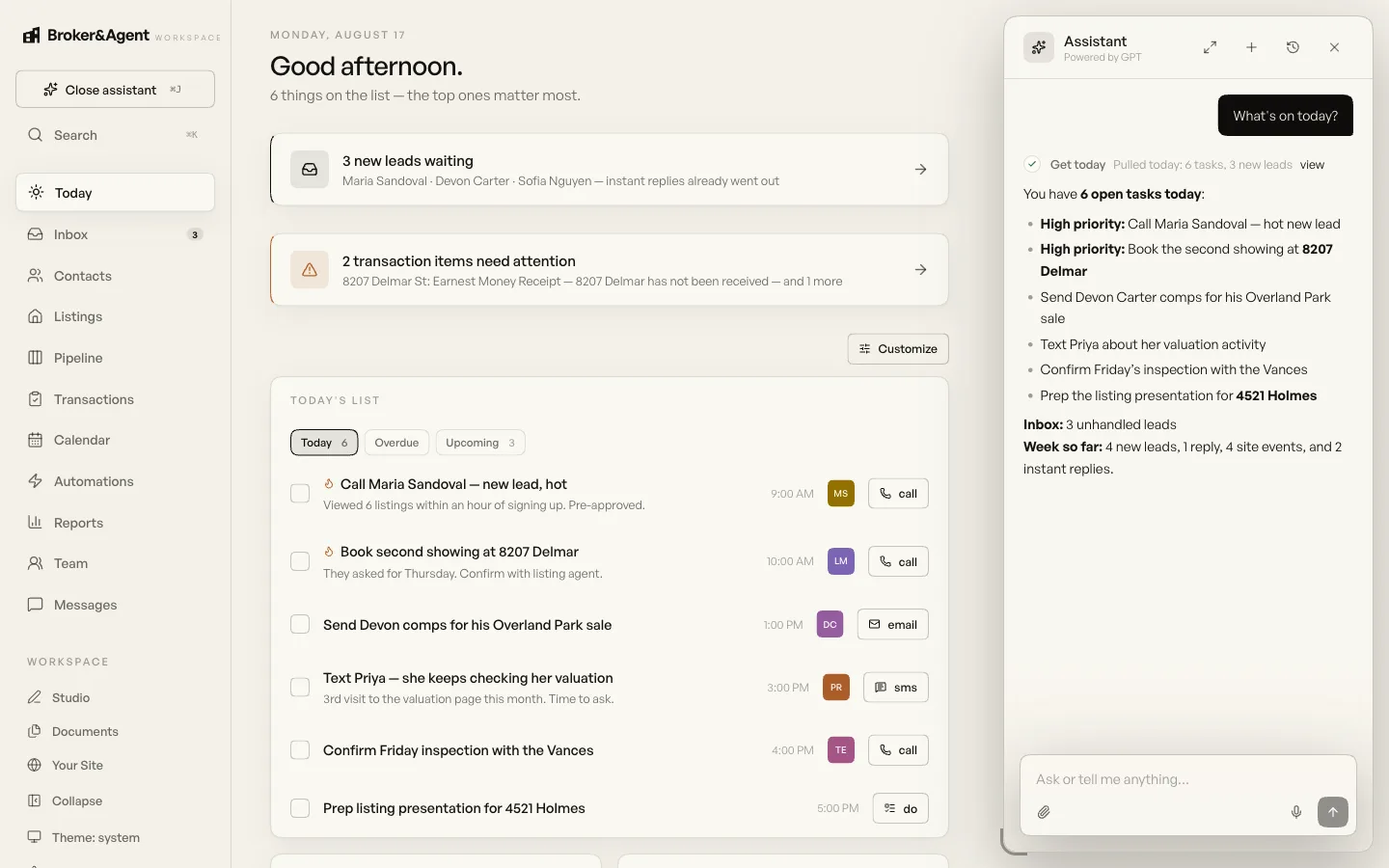
Ask it anything about your business
It reads your pipeline, your contacts, your deals, and your calendar. Ask what is on today, who has gone quiet, or what a seller would net at their asking price, and you get an answer based on your records.
It can do the work too. Draft the follow-up, build the net sheet, put the presentation together, log the call. Keep it on drafts so you approve everything, or let it send on its own once you trust it.
See how the automation works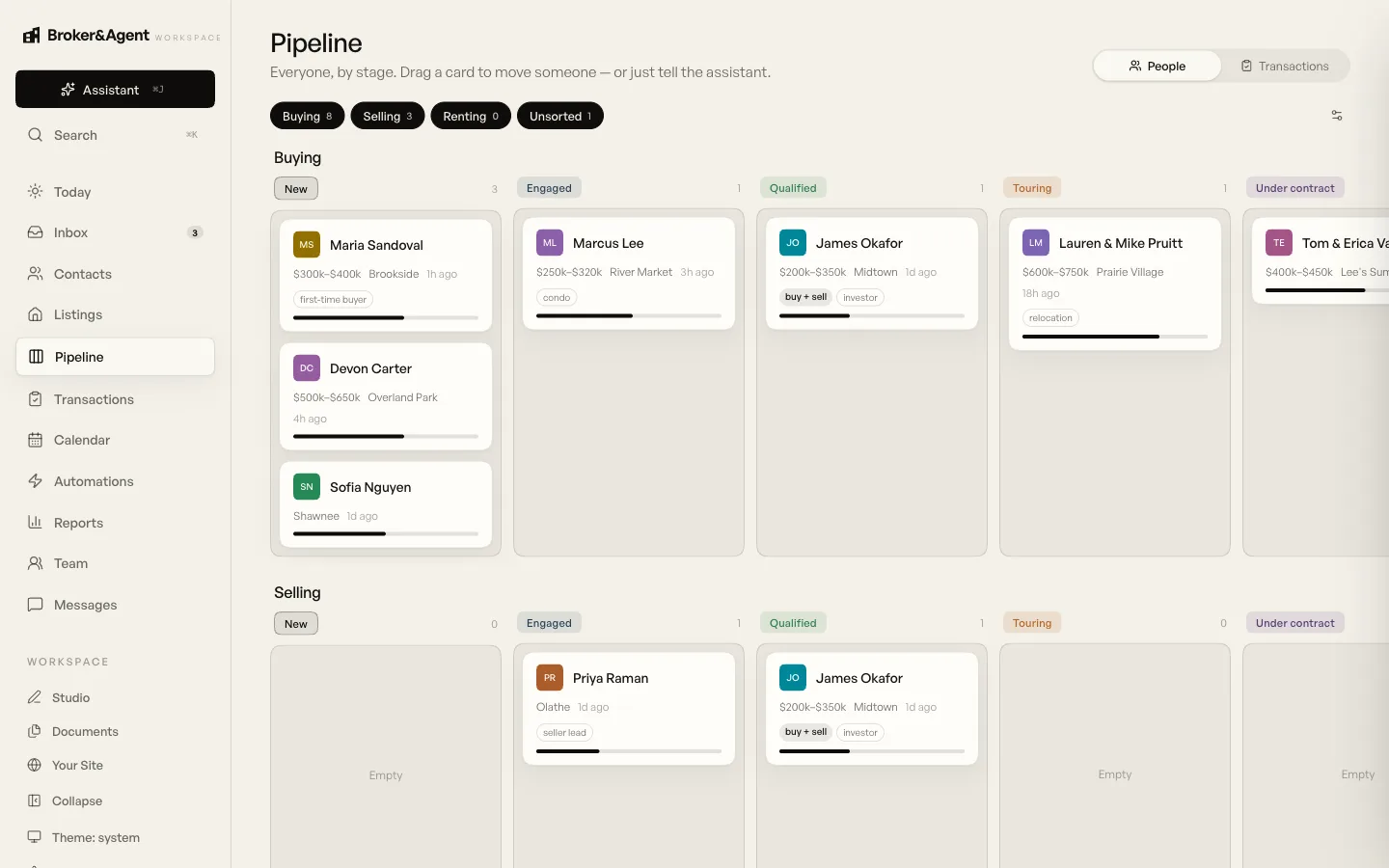
Your whole pipeline on one board
Buyers and sellers on one board. Each card carries the budget, the area, and how long it has been quiet. Drag someone to a new stage, or just tell the assistant to move them.
Rename the stages to match how you work. Most people start with ours and adjust them later.
See the CRM in depth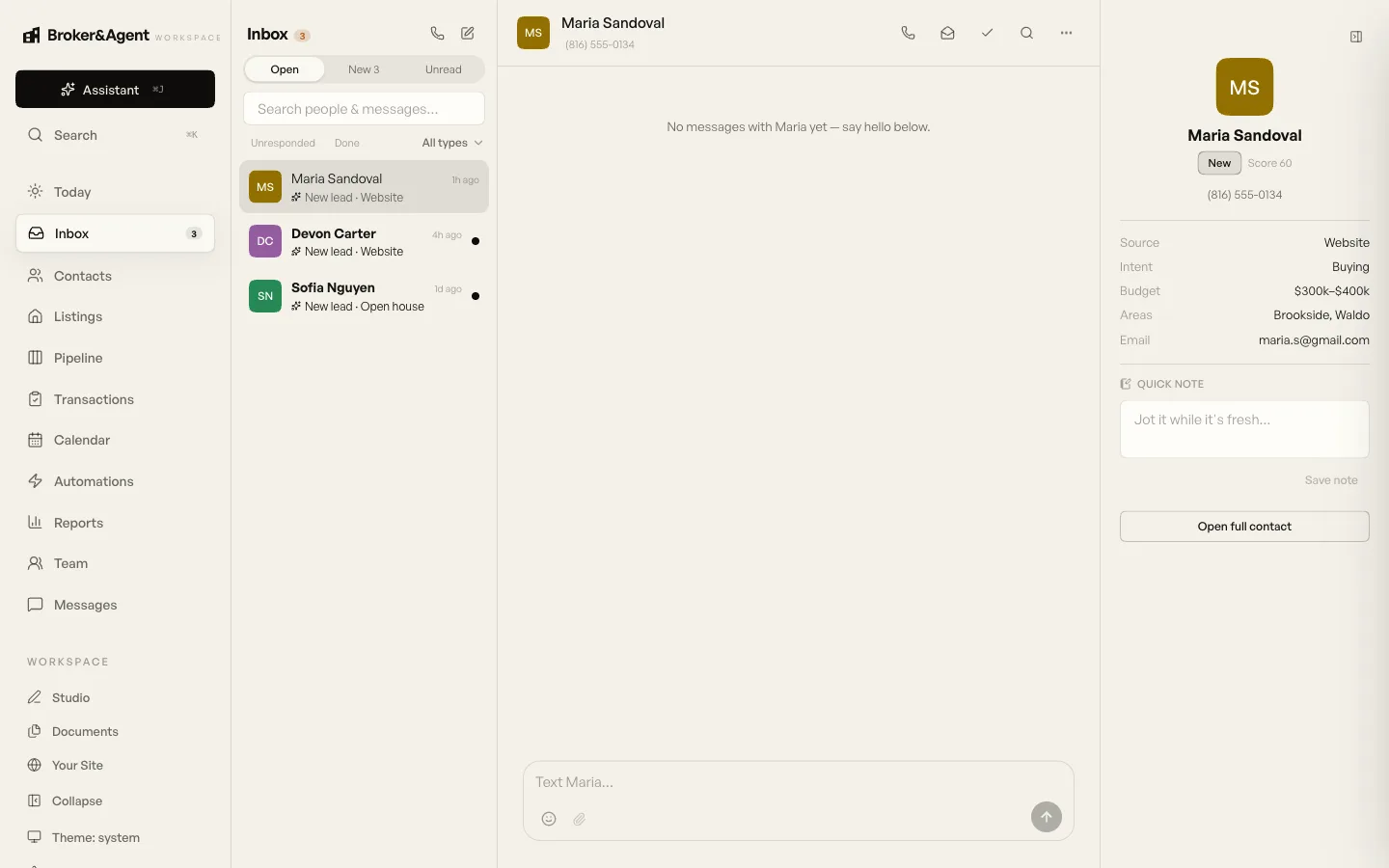
Every conversation in one inbox
Texts, calls, and emails sit in one thread for each person. Leads from your website, from Zillow, and from anywhere else land here too, so there is one place to check instead of four.
Add a business number for texting and calling, or connect the email address you already use. Either way the whole history stays on the contact.
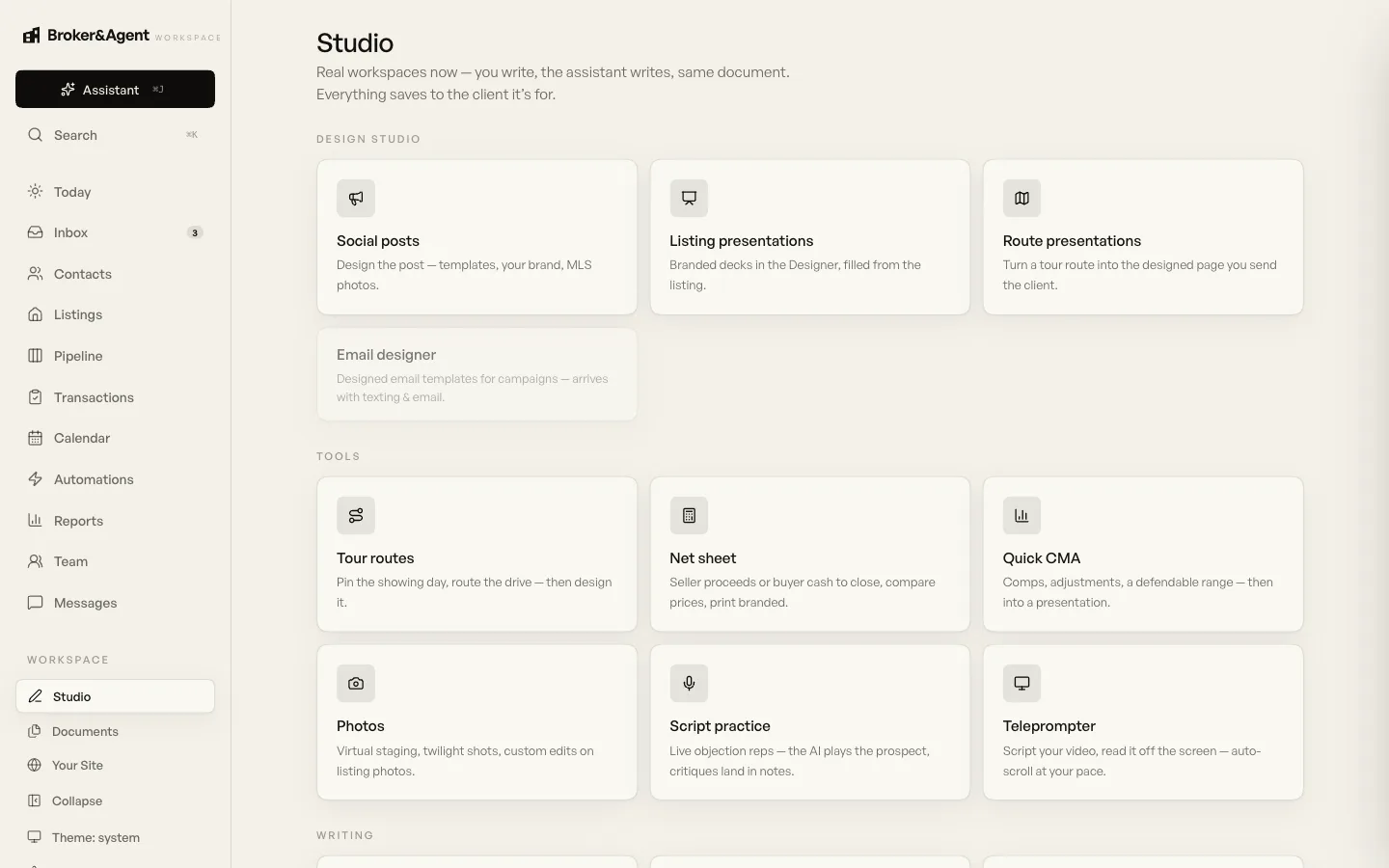
The client work, in the same place
CMAs, net sheets, listing presentations, virtual staging, tour routes, social posts, script practice. The work most agents do across three or four separate tools.
Everything saves onto the client it was for. The presentation you built in March is still on their record in September.
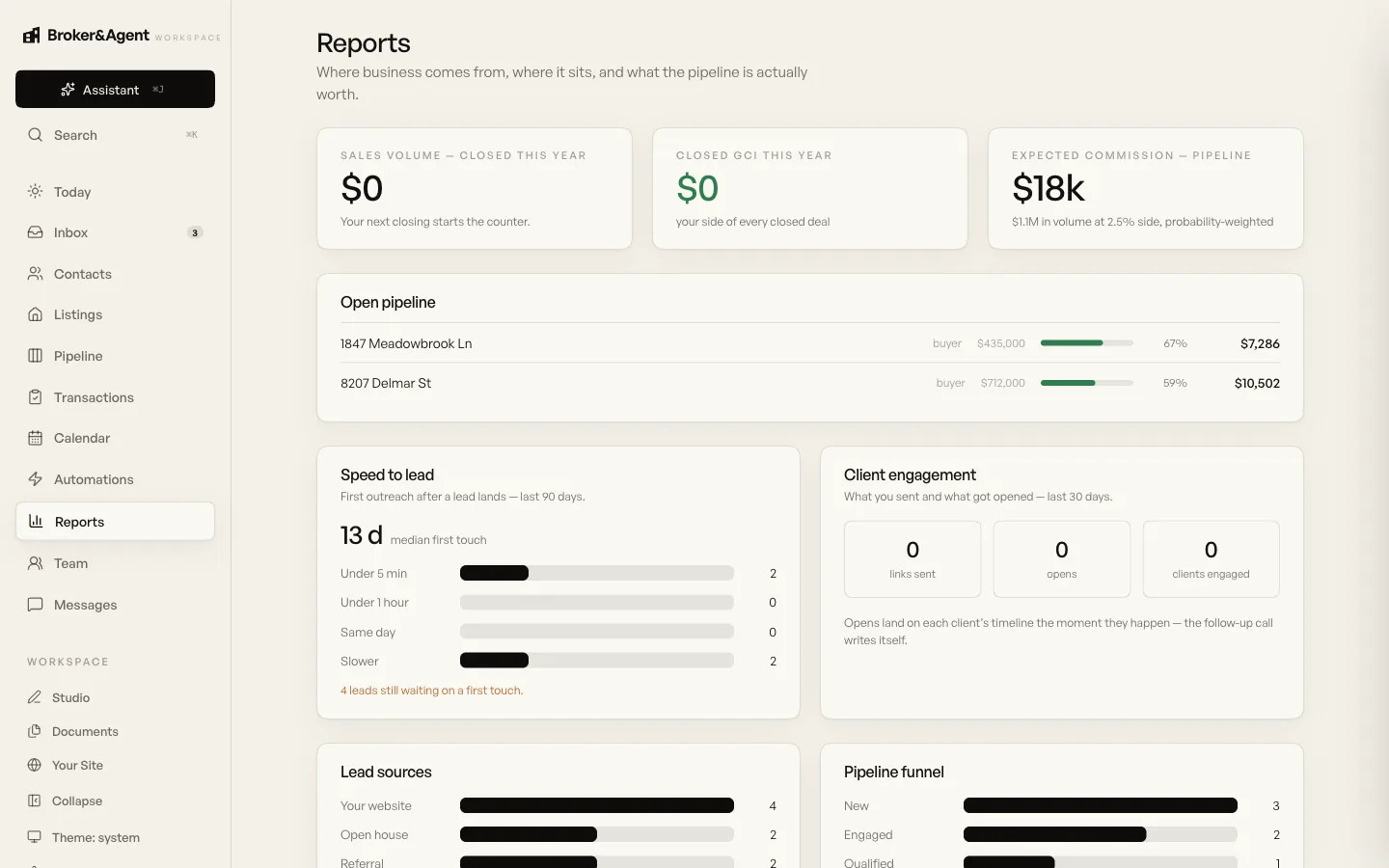
Your business, by the numbers
Where your leads came from, how fast you got back to them, what is in the pipeline and what it is worth. Not a screen full of numbers you never act on.
Most agents have never measured how fast they respond. It is usually the easiest thing to improve.
What Free includes, and what Pro adds.
Free is free for everyone, permanently, whether or not you ever buy a website from us. It is a real product, not a trial, and we never cap how many contacts you keep. Pro is the rest of the platform. You move between them in place, so there is nothing to migrate and nothing to re-import.
- Contact records for everyone you work with, with no cap
- A real lead inbox, and manual entry
- Leads from your website forms, landing on their own
- Tasks, pipeline, and smart lists
- Email and calendar sync with Google or Microsoft
- Documents, e-signature, and net sheets
- Transactions: deals, milestones, close dates, commission
- Automations, minus the AI steps
- Import your contacts, export them whenever you want
- Your site controls, if we built your website
- The full CRM, pipeline, and follow-up plans
- The assistant, and the chat widget for any site
- Compliance history, the forms editor, and document packets
- Follow-up that runs on its own, with your approval
- Studio: CMAs, presentations, staging, social posts
- Tours, client tools, and the deeper reporting
Need a second login? Collaboration is $12 a user on Free and $59 on Pro. Brokerages are quoted after we scope it, since the number depends on agent count and what has to be migrated. Details are on the pricing page. View the full comparison
Also included.
A few more things that come with it.
One Login. One Set Of Records.
Most agents are running their business across a CRM, a spreadsheet, an email inbox, a folder of contracts, and their own memory, and the gaps between those are where deals get lost. This puts all of it in one place, then does the parts you would skip on a busy day. The assistant drafts the follow-up, builds the net sheet, and answers questions about your own pipeline. Automations keep in touch with people you have not thought about in months, and nothing goes out without your approval. The free tier is a real product, not a demo, so you can run your leads and contacts in it for as long as you like before you ever pay us anything. It belongs in the same conversation as Follow Up Boss, Lofty, BoldTrail and Sierra Interactive, built as one system from the start rather than assembled from acquisitions, and it scales from a solo agent on the free plan to a brokerage without ever changing product. To be plain about the edges: this is a front office, and it is meant to be your CRM rather than sit beside one. What it is not is brokerage back office, so commission disbursement, agent billing and accounting are not here and are not pretending to be.

Get early access.
Tell us how you run your business today and we will show you this working with it. Early access goes out before we announce anything.
Or email hello@brokerandagent.com.