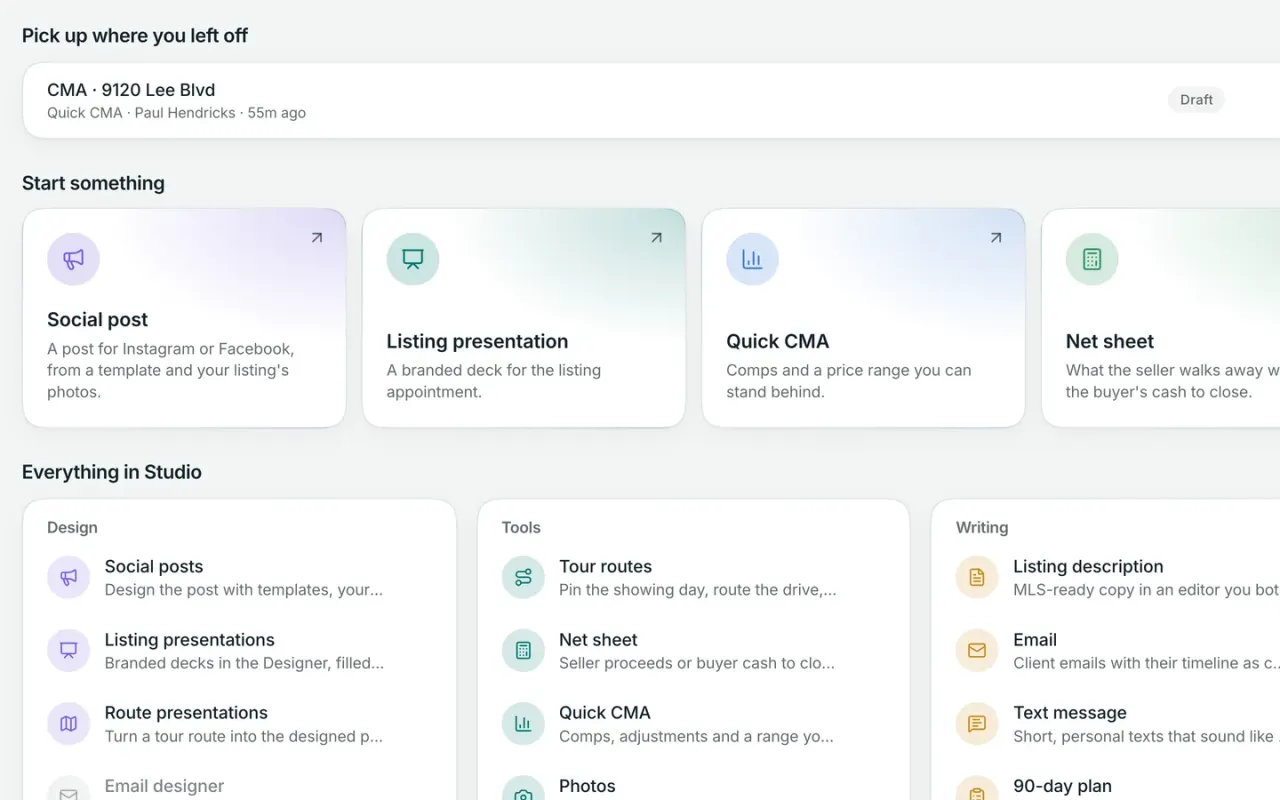
Workspace Pro

Walk into every listing appointment prepared.

Build a CMA, turn it into a polished listing presentation, and pull in the property details, comps, and branding you already have in Workspace. Share it with the seller before or after the meeting, and see when they come back to view it.

Studio is included with Workspace Pro. Net sheets and showing tour planning are available on Workspace Free.

A Quick CMA you can explain with confidence.

Start with the subject property and choose your comps. Studio shows the adjusted value of each comparable, price per square foot, and a suggested pricing range so you can see how the numbers were reached. Where your MLS is connected, Studio can suggest relevant sold comps automatically—or you can add your own.

  • Suggested sold comps where your MLS is connected
  • Adjusted value and price per square foot for every comp
  • A clear suggested pricing range with the numbers behind it
  • Print, export to PDF, share a link, or build a presentation

Build a polished presentation without starting from scratch.

Choose a listing presentation or buyer consultation and Studio pulls in property details, MLS information, and your branding to create the first draft. Present it full-screen in person, export it as a PDF, or share a link with your client.

When you share a link, Workspace can show you when it was opened and how long they spent with it, right on the client timeline.

  • Listing presentation and buyer consultation templates
  • Property details and branding filled in automatically
  • Present full-screen, export to PDF, or share a link
  • See when a shared presentation is opened

Stage an empty room, or turn day to dusk.

Virtually furnish an empty room in a style that fits the property, turn a daytime exterior into a polished twilight image, or request a custom edit when you need something different. Studio keeps the original and edited versions together so you can compare them side by side.

  • Virtual staging in five design styles
  • Day-to-dusk exterior edits
  • Custom photo edits
  • Original and edited images kept together
  • Virtual-staging disclosure supported
  • Clearly label virtually staged images when required

Write listing copy with fair-housing checks built in.

Studio helps draft your listing description and flags language that may raise fair-housing concerns as you write. When it spots a phrase worth reconsidering, it explains why and suggests a more neutral way to say it.

You can also keep an eye on MLS character limits and create versions for different places you market the property.

  • Flags potentially problematic fair-housing language
  • Explains the concern and suggests alternatives
  • MLS character count while you write
  • Create MLS, portal, brochure, and social versions

Turn a listing into on-brand social content.

Start with a Just Listed, Open House, or Just Sold design and bring in the listing details and photos from the MLS. Studio applies your brand kit, then lets you build a single post or carousel and create square, portrait, or Story versions for the channels you already use.

Save any finished design as your own reusable template, then download it and post from your phone or social scheduler.

  • Just Listed, Open House, and Just Sold designs
  • Square, portrait, and Story formats
  • Listing details and photos pulled in from the MLS
  • Save your own reusable templates

Practice the conversations that are hardest to have.

Choose a real estate scenario and practice it out loud with an AI prospect who responds in real time. Work through expired listings, FSBOs, pricing conversations, objections, and other situations before you have to handle them with a real client.

After each practice session, Studio gives you feedback you can use the next time.

  • Practice common prospecting and listing conversations
  • AI plays the prospect and responds by voice
  • Get feedback after every practice session
  • Keep your notes and progress with each script
  • Built-in teleprompter for listing videos & social content

Eight real-world conversations to practice

Each scenario gives you the setup, key talking points, and common objections. Then AI plays the client or prospect so you can practice the conversation out loud.

ProspectingExpired listingTheir listing expired with another agent. They’re frustrated, skeptical, and already getting calls from other agents.
ProspectingFSBOThey’re selling on their own to save the commission and are confident they can handle it—even as low offers start coming in.
PricingPrice reductionThe listing has been on the market for a month, showings have slowed, and the seller still believes the right buyer will pay their price.
ListingCommission objectionThe listing appointment is going well until the seller says another agent will do it for one percent less.
BuyerBuyer consultationA new buyer wants to start touring homes but doesn’t understand why they should sign a representation agreement first.
ProspectingSphere check-inReconnect with a past client or someone in your sphere without making the conversation feel like a referral ask.
PricingOnline estimate conversationThe seller is anchored to an online estimate well above your CMA and thinks your recommended price is too low.
BuyerOpen-house follow-upThey toured the open house, seemed interested, and signed in—but you haven’t heard from them since.
Included with Workspace Free

Run the numbers side by side.

Build a seller net sheet or buyer cash-to-close estimate at up to three prices and see the numbers update as you make changes. Save it with the client, share a link, or create a branded PDF you can bring to the conversation.

  • Compare up to three price scenarios
  • Seller proceeds or buyer cash to close
  • Numbers update as you make changes
  • Save it with the client and share by link or PDF

Comparing your options?

See how Broker & Agent compares with other leading real estate platforms, with features, pricing, and key differences laid out side by side. Every price is sourced and dated. View all comparisons

Questions about Studio

01

Can I create a CMA in Workspace?

Yes. Workspace Pro includes Quick CMA. Start with the subject property, choose your comps, and Studio shows adjusted values, price per square foot, and a suggested pricing range so you can explain how the numbers were reached.

Where your MLS is connected, Studio can suggest relevant recent sales automatically. You can also choose your own comps, then print the CMA, save it as a PDF, share a link, or turn it into a listing presentation.

02

What’s included in a listing presentation?

Studio gives you a polished listing presentation built from your property data, CMA, and brand kit, so you’re not starting from a blank deck. You can refine it with the AI assistant, present it full-screen, export it as a PDF, or share a link with the seller.

When you share a link, Workspace records when they open it and how long they spend with it, right on the client timeline.

03

Is virtual staging allowed on the MLS?

Usually, but the rules vary by MLS. Many require virtually staged images to be clearly disclosed, and some also have rules about showing the original photo alongside the edited version.

Studio keeps the original and staged images together and makes it easy to identify the edited version. Always follow the disclosure requirements of the MLS where the property is listed.

04

Does Studio post to Instagram or Facebook for me?

Not directly. Studio creates the finished social post and caption, sized for the channels you use. Download it, then publish from your phone or the social scheduling tool you already use.

You can create square, portrait, and Story formats for Instagram, Facebook, TikTok, and other social channels.

05

How does the fair-housing check work?

As you write a listing description, Studio looks for language that may raise fair-housing concerns—such as wording that suggests who a home is or isn’t for. If it finds something, it explains the concern and suggests a more neutral way to describe the property.

For example, phrases like “perfect for families,” “adults only,” or “safe neighborhood” can be flagged before you publish.

Studio is a writing safeguard, not legal advice, and you should still follow your brokerage, MLS, and local fair-housing requirements.

06

What are the practice conversations?

Studio includes eight guided real estate role-plays: expired listings, FSBOs, price reductions, commission objections, buyer consultations, sphere check-ins, online-estimate conversations, and open-house follow-up.

Each gives you key talking points and common objections. The AI plays the prospect by voice, then gives you feedback and saves notes so you can improve the next time you practice.

07

Is the net sheet included with Workspace Free?

Yes. Net sheets are included on every Workspace plan, including Free. Compare seller proceeds or buyer cash to close at up to three price scenarios side by side, and the totals update as you change the numbers.

Save the finished net sheet to the client record, print it with your branding, export a PDF, or share it by link.

08

Which plans include Studio?

Studio is included with Workspace Pro. It includes Quick CMA, listing and buyer presentations, virtual staging and photo tools, social content, listing-copy assistance, conversation practice, and 90-day business planning.

A few related tools are available on Workspace Free, including net sheets and showing tour planning. Pro adds the polished, client-facing tour itinerary you can share by link.


One Workspace for the workbehind every deal.

Workspace is opening soon. Join the early-access list to be among the first to get started.

Workspace is in open beta. Join free and bring your contacts with you.

Start free. Bring your contacts with you, and add Pro when you’re ready.