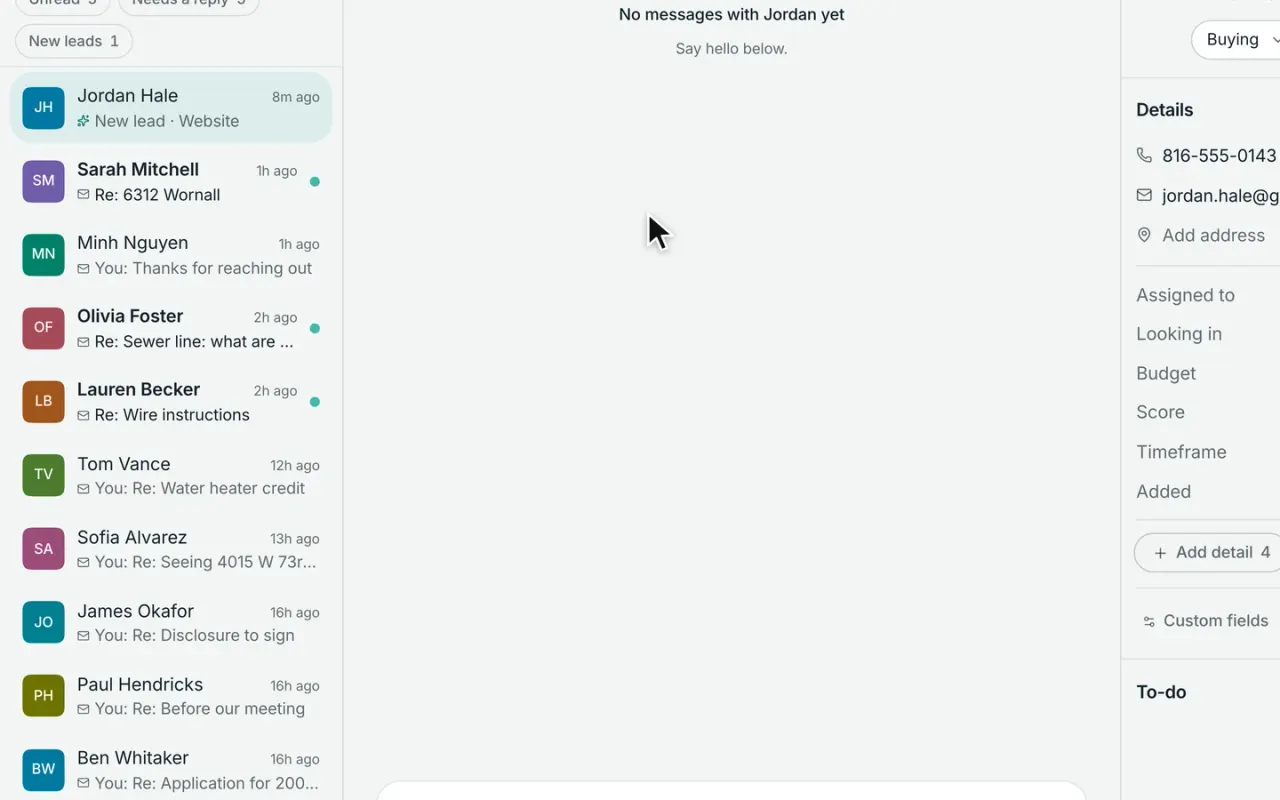
Know where every lead came from, and what to do next.
Website forms, Zillow and Realtor.com inquiries, imports, and other lead sources all flow into one inbox with the source and context attached. Follow up quickly yourself, or route new leads automatically to the right agent or team.
Routed to Daniel BrooksRound robin · website leads
4 minMedian speed to lead
Bring every lead source into one place.
Leads from your website arrive in Workspace automatically. Zillow, Realtor.com, and other services that send leads by email can flow into the same inbox through your private lead address. Workspace pulls out the contact details, message, and source—and if that person is already in your database, it updates the existing record instead of creating a duplicate.
Website leads arrive automatically
Portal and email leads flow into the same inbox
Existing contacts are matched instead of duplicated
Lead source and original inquiry stay attached
DC
Devon CarterViewed 6 homes · 1h ago
PR
Priya RamanAsked about her home value
SM
Sarah MitchellSaved a search · just now
Pre-approvedBuying3 bd · Brookside
From your website · 6312 Wornall Rd
CallTextEmail
What happens the moment a lead comes in
No matter where it comes from, Workspace matches it to the right contact, routes it based on your rules, puts it in front of the right person, and tracks the follow-up.
ArrivesWebsite forms, forwarded lead emails, imports, APIs, and manual entries all arrive in the same lead inbox.
MatchesWorkspace checks the email and phone number first. If the person already exists, the new inquiry is added to their existing record instead of creating a duplicate.
RoutesAssign it directly, send it round-robin through a team, or place it in a shared lead pond based on the routing rules you set.
AlertsThe assigned agent gets an alert, and the new lead moves to the top of their Today list so it’s clear what needs attention.
TracksSpeed-to-lead starts when the inquiry arrives and records how long it takes until the first call, text, or email.
Know what caught their attention before you call.
When a lead comes through your Broker & Agent website, Workspace shows you what they searched for, which homes they viewed or saved, and other activity that helps explain what they’re looking for. You can start the conversation with useful context instead of asking them to repeat everything from the beginning.
Their search criteria, including price, area, beds, and baths
Homes they viewed, saved, and returned to
Website assistant conversations, when available
Website activitySarah Mitchell · 7 visits · came from Google
Likely looking for
$600k–$750kBrookside3+ beds2+ baths
Homes on their radar
6312 Wornall RdViewed 4×
5520 Grand AveSaved
417 W 63rd StViewed 2×
Used the mortgage calculator · yesterday
Know when a new lead comes in—and when one needs attention.
The assigned agent is notified as soon as a lead arrives, with the source, contact details, original message, and a direct link to the record. If no one has called, texted, or emailed within four hours, Workspace flags the lead and adds a follow-up to the agent’s action list.
Immediate notification with the lead’s source and details
Unassigned leads alert the appropriate team or owner
Untouched leads are automatically flagged after four hours
4h
Devon Carter has waited 4hNo call, text or email yet · call due in 2h
New lead: Sarah Mitchell (Zillow)just now
Phone(816) 555-0142
Emailsarah.m@example.com
“Is 6312 Wornall still available? We’re pre-approved.”
Open the contact
5 minutesReached in under five minutes
60 minutesReached within the hour
Same dayReached the same day
Still waitingNo call, text or email yet
Know your speed to lead.
Track your team’s speed to lead over the last 90 days, including median response time and how many leads were followed up with within five minutes, within an hour, or the same day. You’ll also see which leads are still waiting. A call, text, or email counts as the first follow-up.
Workspace Pro
The best leads rise to the top
Workspace scores leads based on what they actually do—visiting your site, saving homes, requesting tours, replying, and other activity. You can see the reasons behind each score, so you know why someone is moving up your list. Smart lists update automatically as behavior changes, helping you focus on the people most worth contacting now.
Lead scores from 30–100, with the reasons behind them
Clear hot, warm, and worth-a-call groups
Smart lists that update automatically as activity changes
SM
Sarah MitchellBuying · Touring
91
Why she’s hot
Active in the last 24 hours
Saved a listing this month
Toured a home this month
Replied 2× in 2 weeks
Team logins
Route every lead to the right person.
Set routing rules once and let Workspace handle the handoff. Send leads from specific sources directly to an agent, distribute them round-robin across a team, or place them in a shared lead pond for someone to claim. Once a lead is assigned, the follow-up tasks and plan move with it automatically.
Route by source, including your website, Zillow, referrals, open houses, and more
Distribute leads round-robin across an agent list or team
Use shared lead ponds where the first available agent can claim the lead
3
3 leads up for grabsFirst claim wins
Claim
Where new leads goFirst matching rule wins
Leads from Your site
Round robinMaya → Jordan → Chris
Leads from Zillow
One personJordan Ellis
Leads from Open house
A pondAnyone on the team claims
Three ways to route a new lead
Set a routing rule for each lead source. If more than one rule applies, Workspace uses the first matching rule.
RuleHow it worksBest for
One personEvery lead from that source goes directly to the same agent.Sources with a dedicated owner, such as open houses, relocation, or a specific portal.
Round robinNew leads rotate through the agents you choose, distributing opportunities evenly across the team.Sharing website and portal leads fairly among multiple agents.
Lead pondLeads go into a shared pool where available agents can claim them.Fast-moving teams, overflow leads, or opportunities that don’t need to be assigned to one person immediately.
Lead ownership is separate from routing. Agent-sourced contacts follow your ownership settings, while company-generated website and portal leads stay with the company.
What’s included with Workspace Free and Workspace Pro
Workspace Free is $0/month. Pro is $99/month, or $59/month with any Broker & Agent website plan. See pricing
Need to bring leads in from another system? API access and signed webhooks are included on every plan.
Comparing your options?
See how Broker & Agent compares with other leading real estate platforms, with features, pricing, and key differences laid out side by side. Every price is sourced and dated. View all comparisons
Can Zillow and Realtor.com leads go straight into Workspace?
Yes. Send those lead emails to your private Workspace address and we’ll turn them into organized lead records automatically—including the contact information, original message, and source. Existing contacts are matched instead of duplicated, and other email-based lead sources work the same way.
02
Can Workspace route leads automatically?
Yes. With Collaboration for teams, on Workspace Free or Pro, you can create routing rules based on where a lead comes from. Send leads directly to one agent, distribute them round-robin across a team, or place them in a shared lead pond for someone to claim.
03
What is speed to lead, and does Workspace track it?
Speed to lead measures how long it takes to follow up after a new lead comes in. Workspace tracks the first call, text, or email and shows your median response time over the last 90 days, along with how many leads were followed up with within five minutes, within an hour, or the same day. Leads with no follow-up after four hours are automatically flagged.
04
Will I end up with duplicate contacts?
Workspace checks new leads against your existing contacts using email and phone number. If there’s already a match, the new inquiry is added to that person’s existing record instead of creating another contact. Spreadsheet imports also skip contacts that are already in Workspace.
05
Can I move from another CRM without starting over?
Yes. Bring your existing contacts into Workspace by spreadsheet, with up to 10,000 records per file. We help map your existing fields and show you a preview before anything is imported, so important details like lead source, stage, tags, notes, and client dates come with you.
06
Which plans include lead management?
Workspace Free includes the core tools for managing new leads: one lead inbox, website and forwarded portal leads, contact imports, new-lead alerts, and speed-to-lead tracking. Workspace Pro adds lead scoring and lead-source reporting. For teams using Collaboration, on Free or Pro, you also get automatic lead routing, round robin, and shared lead ponds.
07
Can I use Workspace with my existing website?
Yes. Workspace works with websites from other providers, and leads can be brought in by email or connected through an integration. You’ll still get the lead management, follow-up, routing, and reporting tools in Workspace. When the lead comes from a Broker & Agent website, Workspace can also show the search activity and browsing context behind the inquiry.