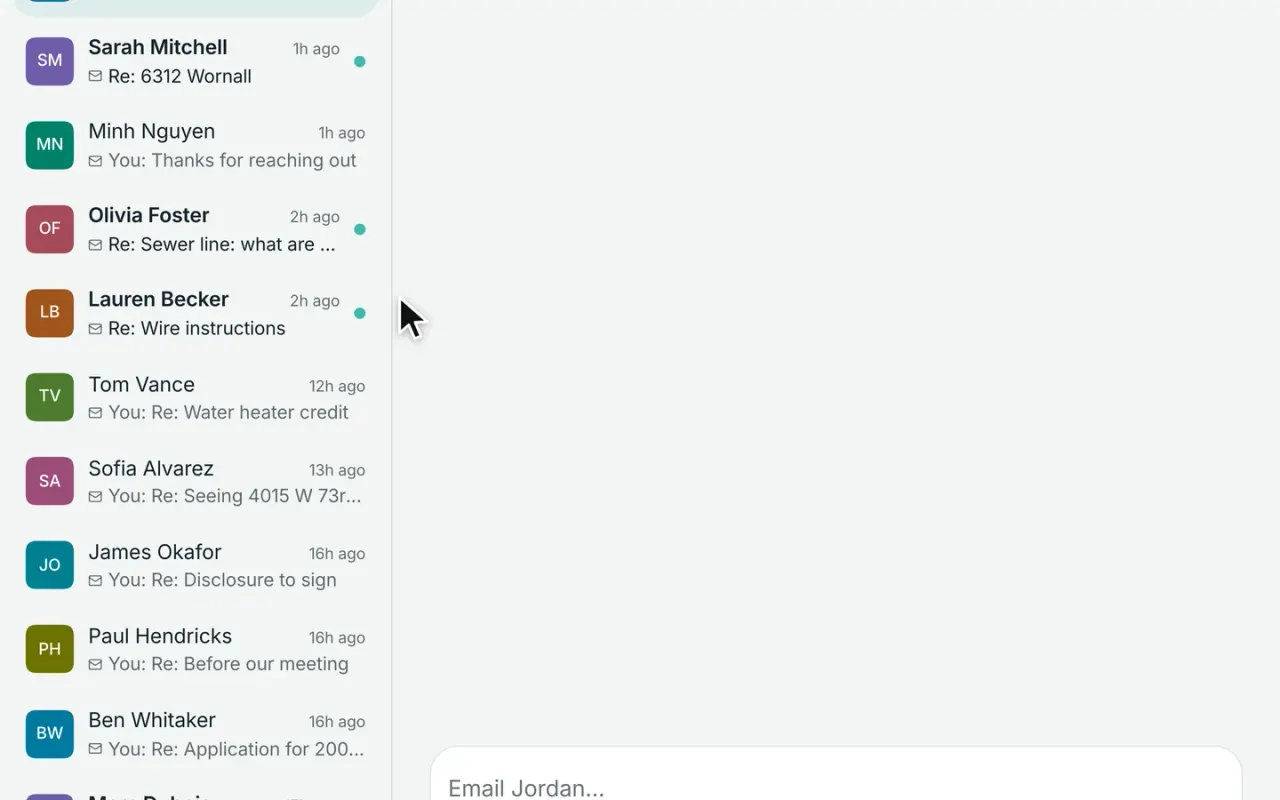
Email, texts, calls, voicemail, and team notes stay together with each contact in Workspace. Connect Gmail or Outlook, add a business number for calling and texting, and give your team the context to pick up right where the last conversation left off.
Email, the inbox, and bulk email are included with Workspace Free. Business texting and calling are available as a $33/month phone add-on per number.
Sarah MitchellEmail and text, one thread
Email · 9:12Is 214 Palm Way still available?
Text · 9:40Could we see it Saturday?
Text · 9:41It is! 11:00 or 2:30?
From your business numberTexts on the same thread
Gmail and OutlookEvery email on the contact
Every conversation stays together.
Emails, texts, calls, and voicemails with the same contact stay in one conversation, so you can see the full history without jumping between apps. Keep your inbox focused with Open and Done views, filter for unread messages, new leads, or conversations that need a reply, and search by name, number, or even what was said.
Pin important conversations, mute distractions, block spam, or mark work done
A new reply automatically brings a completed conversation back to your inbox
Duplicate copies of the same team email are combined into one conversation
SM
Sarah MitchellBuyer · Brookside · pre-approved
Hot
Email
Could we see 6312 Wornall this weekend?
Text
Saturday at 11 works. I’ll send the address.
Note
Wants a finished basement. Lender: First Federal.
Your Gmail or Outlook, right inside Workspace.
Connect your Google or Microsoft account and keep client email alongside the rest of each contact’s history. Send from your own email address and signature, schedule messages for later, set reminders when someone doesn’t reply, and save templates for the messages you send most often.
Schedule emails to send later
Get reminded when someone hasn’t replied
Use reusable templates with personalized details filled in automatically
Undo a send before it goes out
Reply to Devon CarterOn Devon’s thread · from your Gmail
Hi Devon, here are the three Overland Park sales we talked about. Happy to walk through them Thursday.
comps-overland-park.pdf
SendTomorrow morning · 8:00 am
Remind meIf no reply in 3 days
Undo · 5sSchedule
Small details that make follow-up easier.
Workspace handles the little things that are easy to forget—giving you a moment to take back an email, letting you send it at the right time, and reminding you when someone never replies.
DetailHow it works
Undo a sendEvery email pauses briefly before going out, giving you a chance to catch a mistake.
Send it at the right timeWrite the email now and schedule it for later—tomorrow morning, next week, or whenever makes sense.
Don’t let a conversation go quietSet a reminder when you send an email. If they reply, the reminder clears automatically. If they don’t, Workspace puts the follow-up back in front of you.
Email follow-up tools are included with Workspace Free. Calling, texting, and voicemail are available with the business phone add-on.
Add-on
Keep business texting separate from your personal phone.
Add a dedicated business number to Workspace for $33/month. Send and receive texts right from the contact’s conversation, keep photos and message history together, and schedule messages for later when needed. Clients see your business number—not your personal cell—and texting opt-outs are handled automatically.
Two-way texting from your own business number
Messages, photos, and delivery status stay with the contact
Schedule messages and undo a send
Opt-outs handled automatically
Reply drafted in your voice
Sarah wants to see 6312 Wornall
Hi Sarah, thanks for saving that search. 6312 Wornall just came on and fits everything you asked for. Want to see it Saturday at 11?
EditSend
DC
Devon CarterTexts · business number
Text
STOP
Opted out of texts2 scheduled texts canceled
Only Devon can opt back in
Texting opt-outs are handled automatically.
If someone replies STOP, UNSUBSCRIBE, or another recognized opt-out, Workspace stops future texts and cancels anything already scheduled. The contact stays opted out until they choose to opt back in. If someone asks to stop in their own words, Workspace flags the message so you can handle it appropriately.
Add-on
Make and take calls without leaving Workspace.
Use your business number to call clients right from their contact record. Incoming calls can ring in the browser or forward to your cell, and Workspace automatically keeps the call history with the client. Take notes while you talk, see missed calls right away, and read voicemail transcriptions without having to listen to every message.
Click to call from any contact
Incoming calls show you who’s calling
Call notes and history stay with the client
Missed calls are flagged for follow-up
Voicemails are transcribed automatically
DC
Devon CarterViewed 6 homes · 1h ago
PR
Priya RamanAsked about her home value
SM
Sarah MitchellSaved a search · just now
Pre-approvedBuying3 bd · Brookside
From your website · 6312 Wornall Rd
CallTextEmail
Reach a group without managing a separate email tool.
Select up to 200 contacts and send one message from Workspace. Unsubscribe links and your required business address are added automatically, while contacts who have unsubscribed or whose emails have bounced are left out of the send.
Send to up to 200 contacts at once
Unsubscribe requirements handled automatically
Bounced and unsubscribed addresses are skipped
Delivery issues stay noted on the contact record
4
4 skippedUnsubscribed or bounced
One email · 186 contactsTagged past client · one send
SubjectYour home’s value this fall
Hi {first name}, prices in your neighborhood moved this year. Here’s what homes like yours sold for.
Unsubscribe link Added
Your postal address Added
PreviewSend to 182
Team logins
Collaborate without leaving the client conversation.
Leave notes directly on emails, texts, and calls so everyone working with the client has the same context. Reply to teammates, @mention someone when you need their attention, and use quick reactions to acknowledge an update without adding another message. Everything stays with the contact instead of getting lost in a separate chat.
Add team notes and replies to any conversation
@mention teammates when something needs their attention
Use reactions and live typing indicators to coordinate quickly
LOG
Maya opened Devon CarterA team lead’s look · written to the access log
North team · who sees whatSet by the team’s leads
Open bookTeammates see each other’s contacts
Private desksTeammates see only what’s shared with them
MemberTeam leadAdmin
Most of the inbox is included with Workspace Free.
Email, templates, bulk email, scheduling, reminders, and the unified contact inbox are available at no cost. Upgrade to Pro when you want AI to help draft and manage follow-up. See pricing
Two-way texting, browser calling, voicemail, and voicemail transcription.
Team collaboration
Shared notes, replies, and @mentions for teams.
Comparing your options?
See how Broker & Agent compares with other leading real estate platforms, with features, pricing, and key differences laid out side by side. Every price is sourced and dated. View all comparisons
Yes. Add a dedicated business number for $33/month per number on either Workspace Free or Pro. You can send and receive texts right from the contact’s conversation, keep photos and message history together, see delivery status, and schedule or undo messages.
Without the business phone add-on, Workspace can still prepare a text for you to send through your phone’s messaging app and log it with the contact afterward.
02
Can I keep using my personal cell?
Yes. If you use the Workspace phone add-on, texts and calls use your dedicated business number so your personal number stays private. If you prefer to text from your own phone, Workspace can open the drafted message in your phone’s messaging app and let you log it with the contact afterward.
Calls to your Workspace business number can also forward to your cell.
03
Does Workspace work with Gmail and Outlook?
Yes. Connect your Gmail or Outlook account and keep client email inside Workspace while continuing to send from your own address. Recent conversations with your contacts are brought into their records, replies stay threaded together, and each team member connects their own email account.
04
Will Workspace pull in my personal emails?
No. Workspace only brings in email connected to people already in your contacts, so personal messages and unrelated email stay out of the CRM. Messages involving the same client stay together on that contact’s conversation, and if multiple teammates receive the same email, Workspace keeps it from showing up multiple times.
05
Can I schedule emails or undo a send?
Yes. Workspace gives you a few seconds to undo an email after you press send, and you can schedule messages for later—whether that’s tomorrow morning, next week, or a specific date and time.
You can also set a “remind me if no reply” follow-up. If they respond, the reminder clears automatically. If they don’t, Workspace puts the follow-up back on your list.
06
Can I send bulk email from Workspace?
Yes. Workspace Free lets you send one email to up to 200 contacts at a time. Workspace automatically adds the required unsubscribe link and business address, and leaves out contacts who have unsubscribed or whose email has bounced.
Delivery problems are also recorded on the contact, helping keep future outreach clean.
07
Can I make and take calls in Workspace?
Yes. With the business phone add-on, you can call clients directly from their contact record and receive calls in your browser or forward them to your cell. Calls are automatically logged with the client, and you can take notes while you talk so the full history stays together.
Missed calls are flagged for follow-up, and voicemail is transcribed into the conversation so you can read it without having to listen first.
08
Which plans include the inbox, email, and texting?
The inbox, Gmail or Outlook connection, templates, and bulk email are all included with Workspace Free.
Texting, calling, and voicemail are available through the business phone add-on for $33/month per number, whether you use Free or Pro.
Workspace Pro adds AI-assisted messaging and follow-up, while Collaboration adds team notes, replies, and @mentions.