01Which plans include reporting?
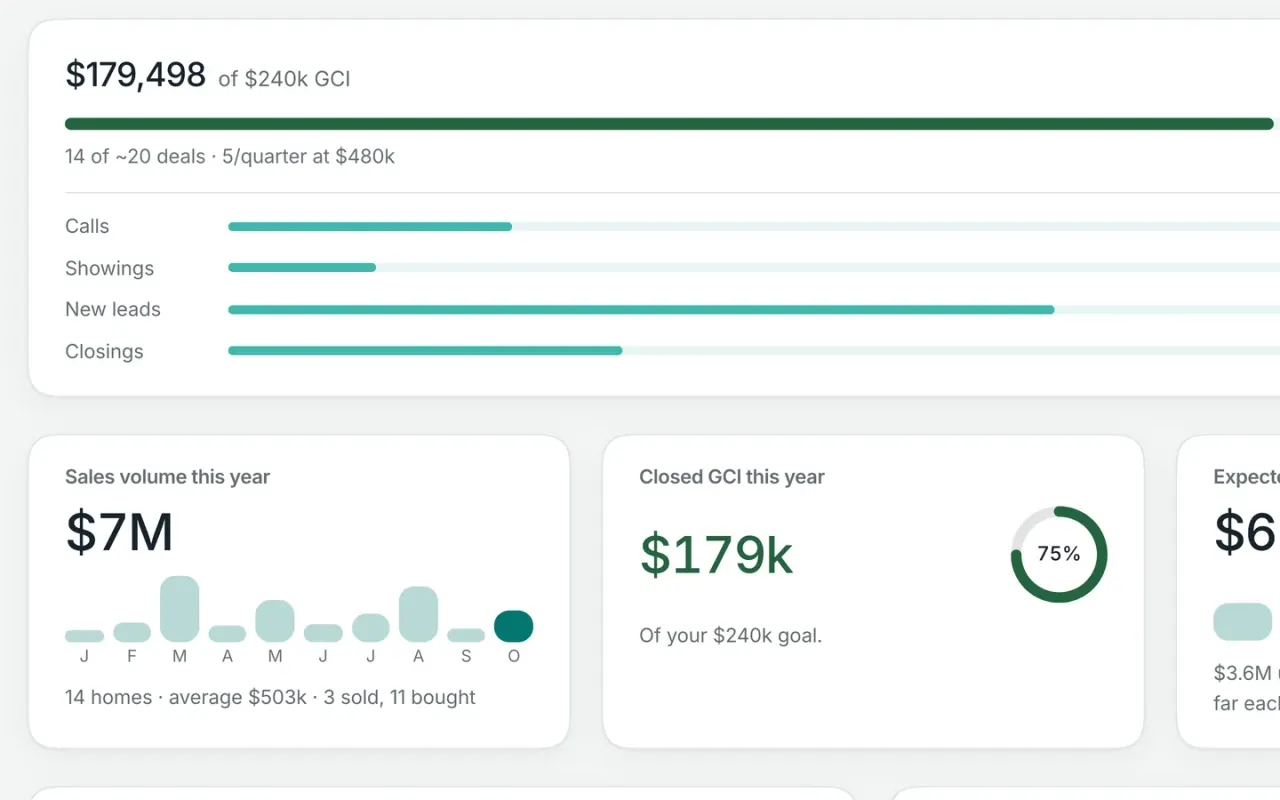
Workspace Free includes your core personal reporting: sales volume, closed GCI, expected commission, speed to lead, client activity and engagement, appointment outcomes, goals, and database health.
Workspace Pro adds lead-source reporting and the pipeline funnel. With team accounts, on Free or Pro, you also get a team dashboard so you can see production, pipeline, and follow-up across the people you manage.
02What should a real estate agent track in a CRM report?
Start with four areas: closed production, expected income, follow-up speed, and lead sources. Sales volume and closed GCI show what you’ve already produced. Expected commission gives you a forward-looking view of your open pipeline. Speed to lead shows how quickly you’re following up with new inquiries, and lead-source reporting shows where those opportunities are coming from.
Workspace keeps those numbers current from the deals and activity already in your CRM, so you don’t have to rebuild them in a spreadsheet.
03How is expected commission calculated?
For each open deal, Workspace starts with the sale price and your side of the commission—2.5% by default unless you enter a different rate. It then weights that commission by the deal’s estimated likelihood of closing.
As the transaction progresses and more of its checklist is completed, that probability can increase. The report shows every open deal, its probability, and its weighted commission so you can see exactly what makes up the forecast.
04How does Workspace measure speed to lead?
Workspace measures the time from when a new lead arrives to your first call, text, or email. The report looks at the last 90 days and shows your median first-touch time, along with how many leads were followed up with within five minutes, within an hour, the same day, or later.
It also shows which leads are still waiting for their first follow-up. If a new lead has no human outreach after four hours, Workspace flags it and adds a call to your Today list.
05Can I see reports for my whole team?
Yes. With team accounts on Workspace Free or Pro, the Team dashboard rolls up key numbers across the people you manage—new leads, follow-up waiting, active deals, and closed business.
You can view results by team or individual when your sharing rules allow it. And if leadership is set to see totals only, the numbers still roll up while private client records stay private.
06Can I ask Claude or ChatGPT about my CRM numbers?
Yes. Connect a compatible AI tool to Workspace and ask questions like “How’s my year going?”, “What could my open pipeline pay?”, or “How fast am I following up with new leads?”
The answers come from the same reporting data already in Workspace, including your sales volume, GCI, expected commission, pipeline, and lead follow-up.
07Do I have to set up the reports?
No. Workspace builds the reports automatically from the work you’re already doing—your deals, leads, calls, texts, emails, appointments, and client activity. There’s no separate reporting system to maintain or spreadsheet to keep updated.
If you add an annual GCI goal, Workspace also tracks your progress and shows whether you’re ahead, on pace, or behind.